
Practical engineering guidance
Passkey-themed phishing: detecting authentication persistence and cloud data theft
Passkeys resist phishing, but attackers are targeting registration, recovery and active sessions. Detect the identity changes and cloud collection that follow.
Series: Security hardening
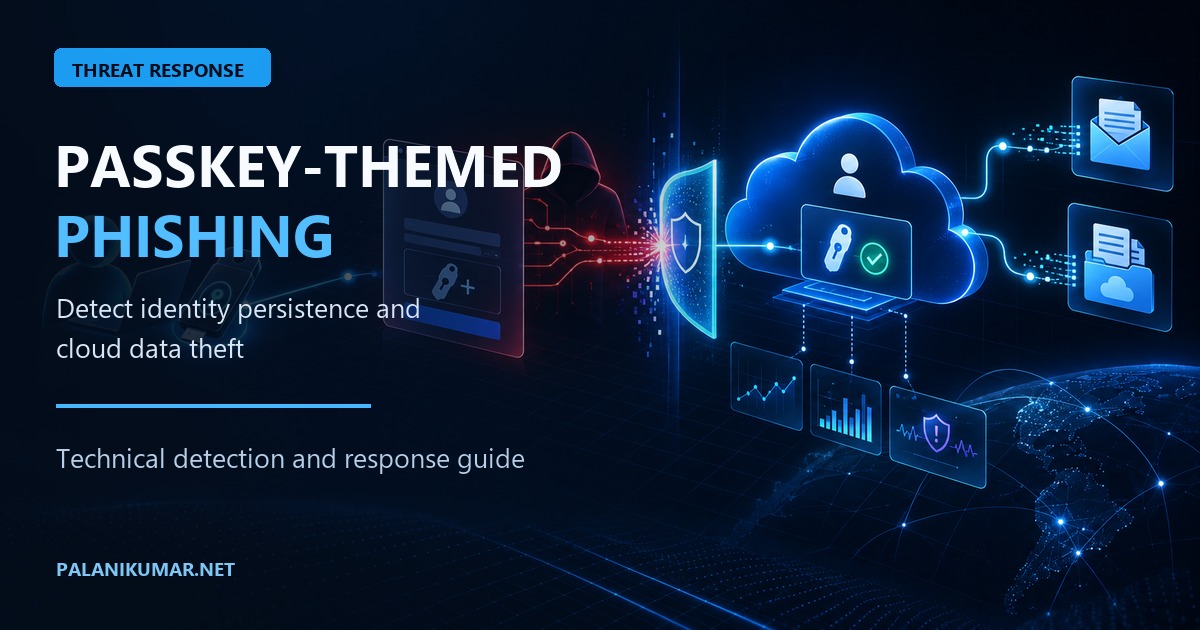
A passkey is phishing-resistant because its private key is not shared with a website and the credential is bound to the legitimate relying party. That does not make every workflow around passkeys phishing-resistant.
Microsoft Security Research reported active cloud intrusions in which attackers used passkey, multifactor authentication or single sign-on enrolment as the story presented to the victim. The observed paths included adversary-in-the-middle phishing and device-code authentication. After obtaining access, actors registered additional authentication methods, enumerated Microsoft Graph and collected data from SharePoint, OneDrive and Exchange Online.
The durable detection is therefore not a list of phishing domains. It is the sequence:
- an unusual or device-code sign-in;
- a new or changed authentication method;
- directory and application discovery;
- high-volume access to files or mail; and
- persistence from an unfamiliar network, device or client.
This article turns that sequence into a practical investigation. It complements Preparing Microsoft Entra ID for passkey-first authentication, which covers rollout, recovery and method policy design.
A passkey-themed lure does not mean the attacker successfully stole a passkey. In several observed patterns, the passkey story was simply a convincing way to obtain a session or persuade a victim to complete device-code authentication.
Know what evidence you have
Before writing detections, confirm the available telemetry and its retention.
| Evidence | What it contributes |
|---|---|
| Entra sign-in logs | IP address, client, device, authentication protocol, result and Conditional Access outcome |
| Entra audit logs | Authentication-method registration, deletion and administrative changes |
Microsoft Defender XDR CloudAppEvents |
SharePoint, OneDrive, Exchange and other cloud application activity |
| Defender for Endpoint | Browser, process, network and device context when the endpoint is onboarded |
| User or help-desk report | The phone call, SMS message or social-engineering pretext that may not exist in technical logs |
Do not dismiss the user’s recollection because the initial link was opened on a personal phone. That report may be the only evidence explaining why a legitimate authentication flow was completed.
Step 1: capture the current authentication-method baseline
Use the authentication-method registration report for population-level coverage. Microsoft recommends this report instead of calling every user’s individual method endpoint for a tenant-wide audit.
The following is read-only. AuditLog.Read.All requires administrator consent, and the signed-in
identity also needs an appropriate directory role.
#requires -Version 7.4
#requires -Modules Microsoft.Graph.Authentication, Microsoft.Graph.Reports

[CmdletBinding()]
param(
    [Parameter()]
    [string] $OutputPath = '.\authentication-method-registration.csv'
)

$ErrorActionPreference = 'Stop'

Connect-MgGraph -Scopes 'AuditLog.Read.All' -ContextScope Process -NoWelcome

try {
    $Registration = Get-MgReportAuthenticationMethodUserRegistrationDetail -All

    $Registration |
        Select-Object Id, UserPrincipalName, UserDisplayName,
            IsMfaRegistered, IsPasswordlessCapable, IsMfaCapable,
            @{ Name = 'MethodsRegistered'; Expression = {
                ($_.MethodsRegistered | Sort-Object) -join ';'
            }} |
        Export-Csv -LiteralPath $OutputPath -NoTypeInformation -Encoding utf8

    Write-Host "Exported $($Registration.Count) registration records to $OutputPath"
}
finally {
    Disconnect-MgGraph | Out-Null
}
This report is a coverage baseline, not proof that every registered method is authorised. During an incident, inspect the affected user’s individual methods and compare creation time, display name, model and passkey type with the user’s known devices.
For a specific user, list passkey methods with the least privilege suitable for the task:
#requires -Version 7.4
#requires -Modules Microsoft.Graph.Authentication, Microsoft.Graph.Identity.SignIns

$UserId = '00000000-0000-0000-0000-000000000000' # Replace with the user's object ID

Connect-MgGraph -Scopes 'UserAuthMethod-Passkey.Read.All' `
    -ContextScope Process -NoWelcome

try {
    Get-MgUserAuthenticationFido2Method -UserId $UserId |
        Select-Object Id, DisplayName, CreatedDateTime, Model,
            PasskeyType, AttestationLevel, AaGuid |
        Format-Table -AutoSize
}
finally {
    Disconnect-MgGraph | Out-Null
}
Do not delete a method only because its display name looks unfamiliar. Confirm ownership and registration context first. Deletion is a containment action and can lock out the user.
Step 2: detect security-information changes
Start with the documented Entra audit activities for security information. The query below returns successful registration, update, review and deletion events and preserves the initiator and target for investigation.
let Lookback = 14d;
let SecurityInfoActions = dynamic([
    "User registered security info",
    "User changed default security info",
    "User deleted security info",
    "Admin registered security info",
    "Admin updated security info",
    "Admin deleted security info"
]);
AuditLogs
| where TimeGenerated >= ago(Lookback)
| where Category =~ "UserManagement"
| where ActivityDisplayName in (SecurityInfoActions)
| where Result =~ "success"
| extend InitiatorUPN = tostring(InitiatedBy.user.userPrincipalName),
         InitiatorIP = tostring(InitiatedBy.user.ipAddress),
         InitiatorApp = tostring(InitiatedBy.app.displayName)
| mv-expand Target = TargetResources
| extend TargetUPN = tostring(Target.userPrincipalName),
         TargetId = tostring(Target.id),
         ChangedProperties = Target.modifiedProperties
| project TimeGenerated, ActivityDisplayName, TargetUPN, TargetId,
          InitiatorUPN, InitiatorIP, InitiatorApp, ResultReason,
          CorrelationId, ChangedProperties
| order by TimeGenerated desc
Expected registrations will appear. Increase confidence by asking whether the event:
- followed a sign-in from a new country, autonomous system or anonymous proxy;
- was initiated by the target user when the user denies making the change;
- occurred outside the person’s normal working pattern;
- affected an administrator or other high-value identity;
- added a method soon after password reset or recovery activity; or
- was followed by directory enumeration or high-volume cloud access.
For privileged identities, create a separate higher-priority detection. If IdentityInfo is
available in the workspace, correlate authentication changes with assigned administrative roles:
let Lookback = 14d;
let DetectionWindow = 2h;
let PrivilegedUsers =
    IdentityInfo
    | where TimeGenerated >= ago(Lookback)
    | summarize arg_max(TimeGenerated, *) by AccountObjectId
    | mv-expand AssignedRole = AssignedRoles
    | where tostring(AssignedRole) has "Admin"
    | summarize Roles = make_set(tostring(AssignedRole)) by AccountUPN = tolower(AccountUPN);
AuditLogs
| where TimeGenerated >= ago(DetectionWindow)
| where Category =~ "UserManagement"
| where ActivityDisplayName has_any
    ("registered security info", "changed default security info",
     "deleted security info", "updated security info")
| mv-expand Target = TargetResources
| extend TargetUPN = tolower(tostring(Target.userPrincipalName))
| join kind=inner PrivilegedUsers on $left.TargetUPN == $right.AccountUPN
| project TimeGenerated, ActivityDisplayName, TargetUPN, Roles,
          InitiatedBy, Result, ResultReason, CorrelationId
Validate the exact activity names in your tenant before converting this hunt into an alert. Service and schema details can change, and a localised portal display does not change the underlying value used by the query.
Step 3: find device-code authentication
Device-code authentication is legitimate for command-line tools and devices with constrained input. It is also attractive to attackers because a victim can be persuaded to enter an attacker-supplied code on Microsoft’s real sign-in page.
This query establishes which users, applications and IP addresses use the protocol:
SigninLogs
| where TimeGenerated >= ago(14d)
| where AuthenticationProtocol =~ "deviceCode"
| project TimeGenerated, UserPrincipalName, AppDisplayName, AppId,
          IPAddress, Location, ResultType, ResultDescription,
          ConditionalAccessStatus, AuthenticationRequirement,
          AuthenticationMethodsUsed, DeviceDetail, CorrelationId
| order by TimeGenerated desc
Summarise successful use to identify first-seen combinations:
SigninLogs
| where TimeGenerated >= ago(30d)
| where AuthenticationProtocol =~ "deviceCode"
| where ResultType == 0
| summarize FirstSeen = min(TimeGenerated), LastSeen = max(TimeGenerated),
            SignIns = count(), IPs = make_set(IPAddress, 20)
    by UserPrincipalName, AppDisplayName, AppId
| order by FirstSeen desc
Do not block the protocol globally from this query alone. Identify approved applications and workflows first. Investigate a successful event when the user did not initiate the workflow, the application is unexpected, or subsequent activity does not match the user’s role.
Step 4: correlate sign-in and method registration
The sequence matters more than either event by itself. This query joins successful sign-ins with a security-information change for the same user within two hours.
let Window = 2h;
let SignIns =
    SigninLogs
    | where TimeGenerated >= ago(14d)
    | where ResultType == 0
    | project SignInTime = TimeGenerated,
              UserKey = tolower(UserPrincipalName),
              AppDisplayName, AuthenticationProtocol, IPAddress,
              Location, DeviceDetail, SignInCorrelationId = CorrelationId;
let MethodChanges =
    AuditLogs
    | where TimeGenerated >= ago(14d)
    | where Category =~ "UserManagement"
    | where ActivityDisplayName has_any
        ("registered security info", "changed default security info",
         "deleted security info", "updated security info")
    | where Result =~ "success"
    | mv-expand Target = TargetResources
    | extend UserKey = tolower(tostring(Target.userPrincipalName))
    | project ChangeTime = TimeGenerated, UserKey, ActivityDisplayName,
              InitiatedBy, AuditCorrelationId = CorrelationId;
MethodChanges
| join kind=inner SignIns on UserKey
| where SignInTime between (ChangeTime - Window .. ChangeTime + Window)
| extend MinutesFromChange = datetime_diff('minute', SignInTime, ChangeTime)
| project ChangeTime, SignInTime, MinutesFromChange, UserKey,
          ActivityDisplayName, AppDisplayName, AuthenticationProtocol,
          IPAddress, Location, DeviceDetail, InitiatedBy,
          SignInCorrelationId, AuditCorrelationId
| order by ChangeTime desc
The join intentionally returns candidates rather than declaring compromise. A user legitimately registering a method will often sign in near the same time. Triage using device state, IP reputation, user confirmation and the activity that followed.
Step 5: hunt for cloud data collection
The following Defender XDR hunt looks for concentrated SharePoint and OneDrive file access. Tune the threshold from your own baseline; synchronisation tools and migration products can produce high counts legitimately.
let Lookback = 7d;
let Window = 2h;
let EventThreshold = 250;
CloudAppEvents
| where Timestamp >= ago(Lookback)
| where Application in ("Microsoft SharePoint Online", "Microsoft OneDrive for Business")
    or ApplicationId in (20892, 15600)
| where ActionType in~ ("FileDownloaded", "FileAccessed", "FilePreviewed", "SyncDownloadedFull")
| where isnotempty(AccountObjectId) and isnotempty(IPAddress)
| summarize EventCount = count(),
            FirstSeen = min(Timestamp), LastSeen = max(Timestamp),
            Files = dcount(tostring(RawEventData.ObjectId)),
            Actions = make_set(ActionType, 10),
            UserAgents = make_set(UserAgent, 10),
            ISPs = make_set(ISP, 10),
            AnonymousProxySeen = max(toint(IsAnonymousProxy))
    by AccountObjectId, IPAddress, bin(Timestamp, Window)
| where EventCount >= EventThreshold or AnonymousProxySeen == 1
| order by EventCount desc
Microsoft specifically reported automated collection using the python-httpx user agent. Use that
indicator as one high-confidence lead, but do not rely on it as a permanent signature:
CloudAppEvents
| where Timestamp >= ago(30d)
| where ActionType in~ ("FileDownloaded", "FileAccessed", "SyncDownloadedFull")
| where UserAgent has "python-httpx"
| summarize Events = count(), FirstSeen = min(Timestamp),
            LastSeen = max(Timestamp), Apps = make_set(Application, 10)
    by AccountObjectId, IPAddress, UserAgent
| order by Events desc
For Exchange activity, investigate a sudden concentration of REST operations from an unfamiliar IP or client. Use the tenant’s normal mailbox applications as the baseline rather than copying a global threshold into an alert.
Step 6: investigate as one timeline
Build a timeline for each affected identity. Preserve UTC timestamps and correlation identifiers.
| Time | Evidence to record |
|---|---|
| Initial contact | User-reported call, message, sender and claimed purpose |
| Authentication | Protocol, application, IP, location, device and Conditional Access result |
| Persistence | Authentication method added, changed or deleted; initiator and target |
| Discovery | My Apps, profile, Graph directory, group or role enumeration |
| Collection | SharePoint, OneDrive and Exchange searches, previews and downloads |
| Response | Session revocation, method removal, account state and evidence preservation |
Ask the user specific questions: Did you receive a call or text? Did anyone ask you to visit a website, enter a device code or approve a prompt? Did you add a security method? Which device did you use? A generic “did you click anything?” question often misses the actual sequence.
Step 7: contain confirmed compromise
Containment changes identity state. Use an approved incident process, record each action and preserve the evidence needed for investigation.
- Disable or block the affected account temporarily when compromise is confirmed and continued access presents material risk.
- Revoke active sessions and refresh tokens. Session revocation is essential when the attacker used a stolen token rather than a password.
- Review every registered authentication method with the user and remove only unauthorised methods.
- Reset the password if it may have been exposed, even when the observed access used a token.
- Review device registrations, application consent and delegated permissions added or used by the identity.
- Investigate SharePoint, OneDrive, Exchange and Graph activity for the full available retention window.
- Check adjacent identities contacted through Teams, email or help-desk impersonation.
- Restore access through a verified recovery process, then register a known phishing-resistant method.
Do not begin by deleting every method. That destroys useful context and can prevent the legitimate user from completing recovery. Export or record method identifiers and relevant audit events first, subject to your evidence-handling policy.
Protect the real passkey rollout
Microsoft began rolling out passkeys as the default Entra authentication experience on 1 September 2026. Users who are expecting registration prompts are more likely to accept a convincing fake, so communications and recovery design are security controls.
- Publish the exact approved registration route and show users how to reach it independently.
- State clearly that support staff will never ask a user to enter a device code supplied over a call, chat or text message.
- Tell users what a legitimate registration prompt looks like and when they should expect it.
- Require phishing-resistant authentication for administrators when operationally ready.
- Alert on authentication-method changes for privileged and high-value identities.
- Protect Temporary Access Pass issuance and account recovery with strong identity verification.
- Keep emergency access accounts separate and monitored.
- Test the service-desk response to a reported passkey or SSO enrolment call.
Passkeys remain the right direction. The lesson from this activity is to secure the enrolment, recovery and session lifecycle with the same care as the credential.
Validation checklist
Before enabling an alert or response automation, prove the following in a test account:
- a legitimate method registration appears in
AuditLogswith the expected activity name; - device-code authentication appears with
AuthenticationProtocol == "deviceCode"; - the join query returns the expected registration and sign-in relationship;
- normal OneDrive synchronisation and migration tooling are understood and excluded narrowly;
- alert thresholds are based on tenant activity rather than the example values;
- responders can list methods, revoke sessions and recover the account without improvising; and
- every containment action has an owner, evidence record and rollback or recovery path.
Limits
These hunts do not prove malicious intent. They surface sequences that deserve investigation.
CloudAppEvents, IdentityInfo, enrichment fields and retention depend on licensing and product
configuration. IP geography and anonymous-proxy signals can be wrong or incomplete. User agents are
attacker-controlled. A personal device may contribute no endpoint telemetry.
The PowerShell examples are read-only and were reviewed against Microsoft Graph documentation on 2
October 2026. The KQL was checked against the documented SigninLogs, AuditLogs and
CloudAppEvents schemas and Microsoft’s published investigation guidance. Validate field names and
expected events in your tenant before creating scheduled analytics rules.
References
- Passkey-themed social engineering leads to identity and cloud compromise
- Microsoft Entra ID security updates: passkeys are the default authentication method
- Microsoft Entra token theft playbook
- Microsoft Entra audit log activity reference
- Microsoft Graph authentication-method registration report
- List a user’s passkey authentication methods
- Azure Monitor SigninLogs schema
- Microsoft Defender XDR CloudAppEvents schema
Reader feedback
Was this article useful?
No ratings yet. Be the first to rate this article.