
Practical engineering guidance
Active Directory account lockout: find the source before unlocking the user again
The domain controller records which computer submitted the bad credentials. Follow Event 4740, then inspect services, tasks, mapped resources and cached credentials on that source.
Series: Microsoft troubleshooting field guides
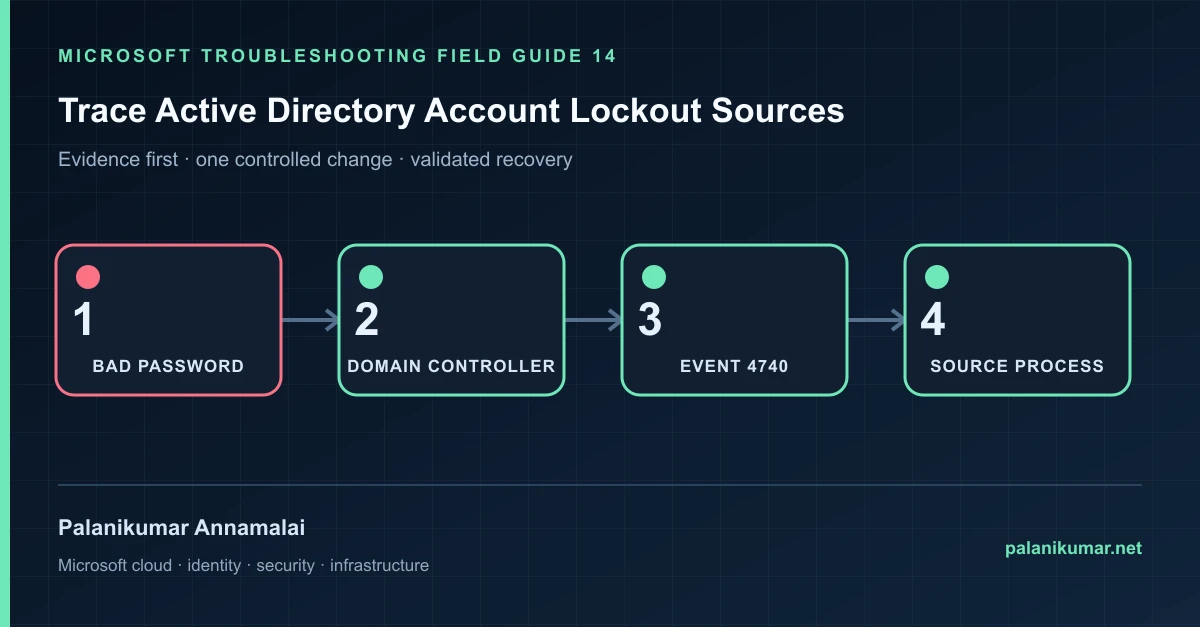
The domain controller records which computer submitted the bad credentials. Follow Event 4740, then inspect services, tasks, mapped resources and cached credentials on that source.
The fastest safe repair is rarely the first setting that makes the error disappear. Start by identifying the failed layer, preserve the evidence, change one cause and repeat the same test.
Recognise the failure
- The account locks again minutes after being unlocked.
- The user is not typing a password when the lockout occurs.
- A password change triggers repeated failures from an old device.
- The lockout source is a server, VPN gateway, phone or unknown workstation.
Write down the affected identity or resource, UTC time, client, source network and correlation or request ID before retrying. Nearby successful events are useful comparisons, but they are not the failed transaction.
Collect evidence before changing configuration
The following commands are read-only unless a comment explicitly says otherwise. Replace every placeholder and use the least-privileged administrative role that can read the required data.
$user = 'jdoe'
$since = (Get-Date).AddHours(-24)
Get-ADDomainController -Filter * | ForEach-Object {
  Get-WinEvent -ComputerName $_.HostName -FilterHashtable @{
    LogName='Security'; Id=4740; StartTime=$since
  } -ErrorAction SilentlyContinue | ForEach-Object {
    [pscustomobject]@{
      Time=$_.TimeCreated
      DC=$_.MachineName
      User=$_.Properties[0].Value
      CallerComputer=$_.Properties[1].Value
    }
  }
} | Where-Object User -eq $user | Sort-Object Time -Descending| Evidence | What it proves |
|---|---|
| Lockout time | Use exact UTC or local time with timezone and correlate repeated intervals. |
| Caller computer | Event 4740 identifies the system that presented the credentials, not always the final application. |
| PDC emulator | The PDC is the authoritative place to confirm lockout state and often receives useful evidence. |
| Failure events on source | 4625, Kerberos and service logs can identify logon type and process. |
| Credential stores | Services, tasks, app pools, mapped drives, phones and Windows Credential Manager survive password changes. |
Work through the likely causes
1. A service or scheduled task has the old password
Update the configured identity, preferably migrate the workload to gMSA where supported, then restart only the affected component.
2. A disconnected device keeps retrying
Find VPN, Wi-Fi, mobile mail or stale remote sessions associated with the user. Remove the saved credential.
3. A shared resource reconnects automatically
Inspect mapped drives, persistent sessions and Credential Manager on the caller computer.
4. The caller is another server or proxy
Continue tracing authentication logs at that intermediary. Do not assume the caller computer is where the password was typed.
Make the fix controlled and reversible
Before changing production, capture the current configuration, name the owner of the affected service and define the rollback trigger. Prefer the narrowest change that corrects the proven cause. Do not disable a tenant-wide security control, remove a protection policy or broaden a role simply to see whether the symptom changes.
Where a change affects identity, mail flow, security telemetry or network routing, use a test object or limited scope first. Record the exact command or portal setting, the operator, timestamp and the evidence that justified it.
Validate the repair
- Clear the lockout after correcting the confirmed source.
- Monitor 4740 and 4625 for at least one normal retry interval.
- Verify legitimate sign-in from the user’s current device.
- Document and replace user-bound service credentials.
A successful portal message is not the end of validation. Confirm the user or workload outcome, the relevant audit or health record and the absence of a weaker fallback path.
Evidence to keep
- the original error, correlation or request ID and UTC timestamp;
- the read-only command output that identified the failed layer;
- before-and-after configuration for the specific change;
- the successful validation transaction; and
- any limitation that still needs monitoring or vendor escalation.
References
Reader feedback
Was this article useful?
No ratings yet. Be the first to rate this article.