
Practical engineering guidance
KRB_AP_ERR_MODIFIED: prove the SPN and service identity before resetting passwords
KRB_AP_ERR_MODIFIED means the service could not decrypt the ticket. Duplicate SPNs, wrong service accounts, stale machine passwords and name resolution produce the same symptom.
Series: Microsoft troubleshooting field guides
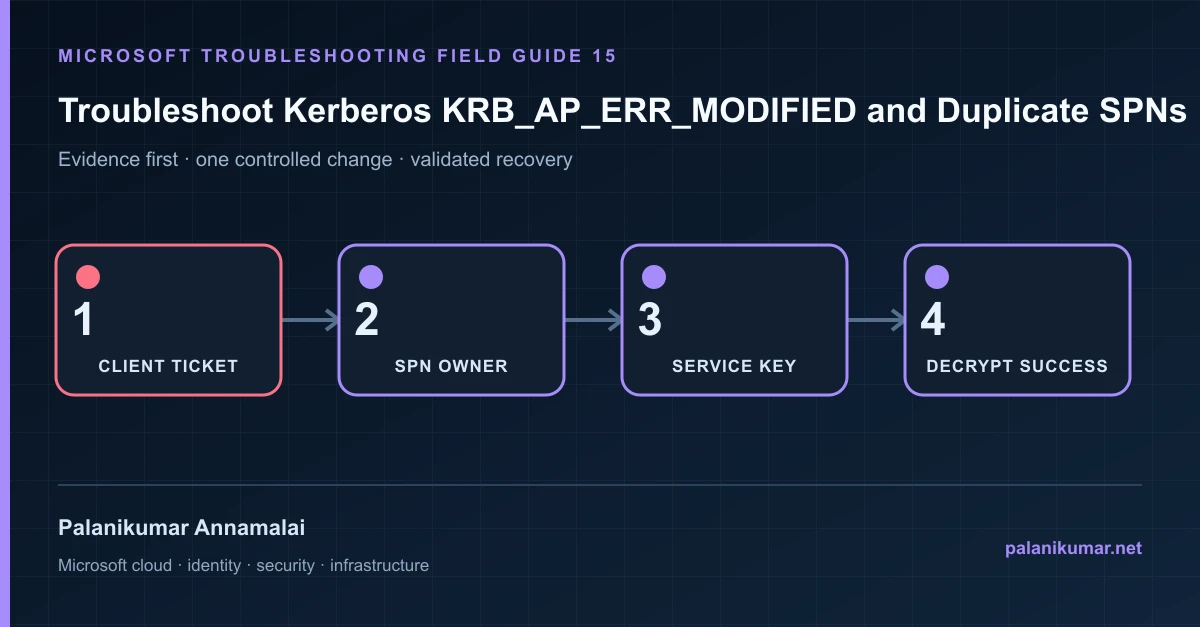
KRB_AP_ERR_MODIFIED means the service could not decrypt the ticket. Duplicate SPNs, wrong service accounts, stale machine passwords and name resolution produce the same symptom.
The fastest safe repair is rarely the first setting that makes the error disappear. Start by identifying the failed layer, preserve the evidence, change one cause and repeat the same test.
Recognise the failure
- Windows logs Kerberos Event ID 4 with KRB_AP_ERR_MODIFIED.
- The service works by IP but fails by DNS alias.
- Only one node behind a load-balanced name fails.
- The error begins after restoring, cloning or rejoining a server.
Write down the affected identity or resource, UTC time, client, source network and correlation or request ID before retrying. Nearby successful events are useful comparisons, but they are not the failed transaction.
Collect evidence before changing configuration
The following commands are read-only unless a comment explicitly says otherwise. Replace every placeholder and use the least-privileged administrative role that can read the required data.
$spn = 'HTTP/app.contoso.com'
setspn -Q $spn
setspn -X

# On the affected client.
klist
klist get $spn

# Confirm the service account on every backend node.
Get-CimInstance Win32_Service |
  Where-Object Name -match 'W3SVC|MSSQL|custom' |
Select-Object Name, StartName, State| Evidence | What it proves |
|---|---|
| SPN requested | Use the SPN shown in the event or ticket cache, including service class and hostname. |
| SPN owner | Exactly one appropriate AD object should own it unless the service design documents otherwise. |
| Running identity | The process must possess the key associated with the SPN owner. |
| DNS target | Aliases and load balancers can direct a ticket to a server using a different identity. |
| Machine trust | A restored or cloned machine can have a stale account password. |
Work through the likely causes
1. Duplicate SPN
Identify the legitimate service identity, remove the duplicate registration and use setspn -S for uniqueness checking.
2. SPN is on the wrong account
Move it to the account actually running the service, then restart the service in a controlled window.
3. Backend nodes use different identities
Standardize the service account or configure the supported delegation/load-balancing design.
4. Machine password is stale
Test the secure channel and repair or rejoin only after proving the trust failure. Do not reset arbitrary accounts first.
Make the fix controlled and reversible
Before changing production, capture the current configuration, name the owner of the affected service and define the rollback trigger. Prefer the narrowest change that corrects the proven cause. Do not disable a tenant-wide security control, remove a protection policy or broaden a role simply to see whether the symptom changes.
Where a change affects identity, mail flow, security telemetry or network routing, use a test object or limited scope first. Record the exact command or portal setting, the operator, timestamp and the evidence that justified it.
Validate the repair
- Purge only the test client ticket cache and acquire a new service ticket.
- Confirm setspn -Q returns the intended single owner.
- Test every load-balanced node and DNS alias.
- Verify Kerberos is used rather than an unnoticed NTLM fallback.
A successful portal message is not the end of validation. Confirm the user or workload outcome, the relevant audit or health record and the absence of a weaker fallback path.
Evidence to keep
- the original error, correlation or request ID and UTC timestamp;
- the read-only command output that identified the failed layer;
- before-and-after configuration for the specific change;
- the successful validation transaction; and
- any limitation that still needs monitoring or vendor escalation.
References
Reader feedback
Was this article useful?
No ratings yet. Be the first to rate this article.