
Practical engineering guidance
Exchange hybrid free/busy fails: test direction, OAuth and target address in order
Hybrid availability has two directions and several trust layers. Test a single mailbox pair, identify the failing direction and then follow Autodiscover, OAuth and routing evidence.
Series: Microsoft troubleshooting field guides
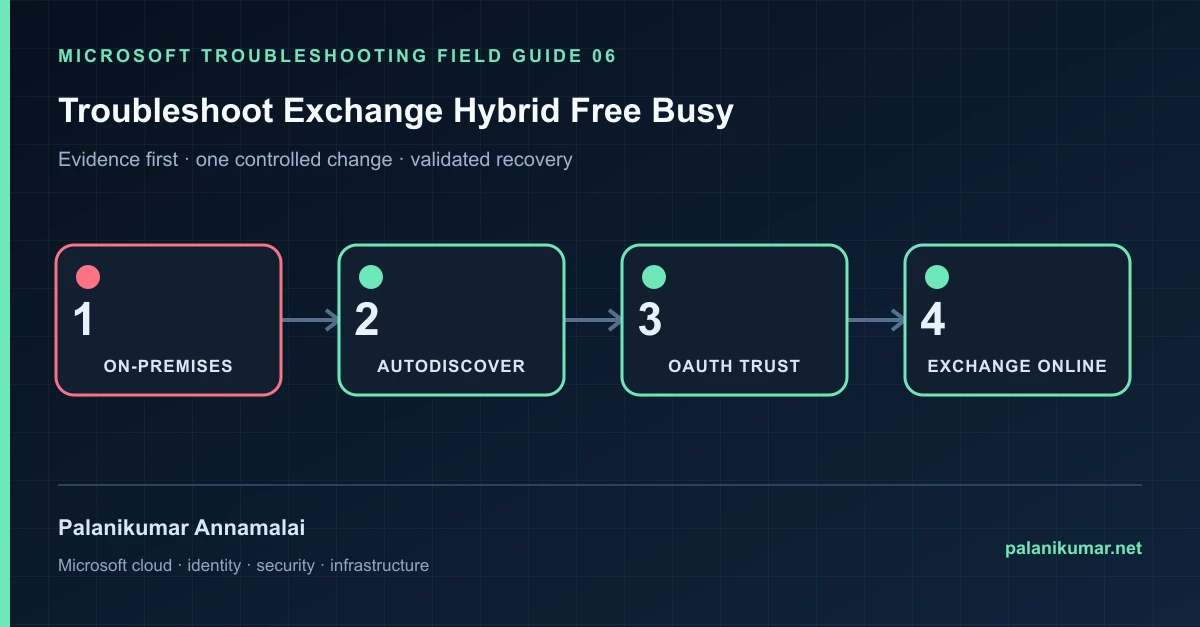
Hybrid availability has two directions and several trust layers. Test a single mailbox pair, identify the failing direction and then follow Autodiscover, OAuth and routing evidence.
The fastest safe repair is rarely the first setting that makes the error disappear. Start by identifying the failed layer, preserve the evidence, change one cause and repeat the same test.
Recognise the failure
- On-premises users cannot see cloud mailbox availability, or the reverse direction fails.
- Free/busy is intermittent while mail flow is healthy.
- Scheduling Assistant shows hash marks or “No information.”
- Hybrid Configuration Wizard completed but Test-OAuthConnectivity fails.
Write down the affected identity or resource, UTC time, client, source network and correlation or request ID before retrying. Nearby successful events are useful comparisons, but they are not the failed transaction.
Collect evidence before changing configuration
The following commands are read-only unless a comment explicitly says otherwise. Replace every placeholder and use the least-privileged administrative role that can read the required data.
# Run in on-premises Exchange Management Shell.
Get-IntraOrganizationConnector | Format-List Name,Enabled,DiscoveryEndpoint,TargetAddressDomains
Get-OrganizationRelationship | Format-List Name,Enabled,FreeBusyAccessEnabled,TargetAutodiscoverEpr,DomainNames
Get-AuthConfig | Format-List CurrentCertificateThumbprint,PreviousCertificateThumbprint,NextCertificateThumbprint

Test-OAuthConnectivity -Service EWS `
  -TargetUri 'https://outlook.office365.com/ews/exchange.asmx' `
-Mailbox 'onprem.user@contoso.com' -Verbose| Evidence | What it proves |
|---|---|
| Direction | Cloud-to-on-premises and on-premises-to-cloud use different objects and endpoints. |
| Mailbox pair | Use one known mailbox on each side and record exact UTC test time. |
| OAuth test | Validate token acquisition and EWS independently of Outlook. |
| Autodiscover | Confirm the discovered endpoint belongs to the intended organization. |
| TargetAddress and ExternalEmailAddress | Incorrect remote routing attributes can send availability to the wrong place. |
Work through the likely causes
1. OAuth metadata or certificate is stale
Review AuthConfig, federation metadata and certificate validity. Rerun the current Hybrid Configuration Wizard only after capturing the existing state.
2. TLS 1.2 is incomplete on Exchange servers
Apply Microsoft’s Exchange TLS guidance consistently across every server handling the request; partial enablement produces intermittent failures.
3. Organization relationship or IOC is wrong
Compare domains and endpoints with the working direction and the current hybrid design. Avoid layering duplicate relationships.
4. TargetAddress was overwritten
Correct the on-premises authoritative attribute and synchronize. Do not edit the cloud ExternalEmailAddress if directory synchronization will overwrite it.
Make the fix controlled and reversible
Before changing production, capture the current configuration, name the owner of the affected service and define the rollback trigger. Prefer the narrowest change that corrects the proven cause. Do not disable a tenant-wide security control, remove a protection policy or broaden a role simply to see whether the symptom changes.
Where a change affects identity, mail flow, security telemetry or network routing, use a test object or limited scope first. Record the exact command or portal setting, the operator, timestamp and the evidence that justified it.
Validate the repair
- Test both directions in Outlook on the web to remove desktop cache variables.
- Repeat Test-OAuthConnectivity with a known mailbox.
- Confirm MailTips and free/busy for more than one mailbox.
- Record the successful endpoint, certificate and connector configuration.
A successful portal message is not the end of validation. Confirm the user or workload outcome, the relevant audit or health record and the absence of a weaker fallback path.
Evidence to keep
- the original error, correlation or request ID and UTC timestamp;
- the read-only command output that identified the failed layer;
- before-and-after configuration for the specific change;
- the successful validation transaction; and
- any limitation that still needs monitoring or vendor escalation.
References
Reader feedback
Was this article useful?
No ratings yet. Be the first to rate this article.