
Practical engineering guidance
Azure VM extension provisioning failed: separate Guest Agent, handler and script failures
The portal reports one extension state, but the root cause lives in instance view, Guest Agent health, handler status and logs inside the VM.
Series: Microsoft troubleshooting field guides
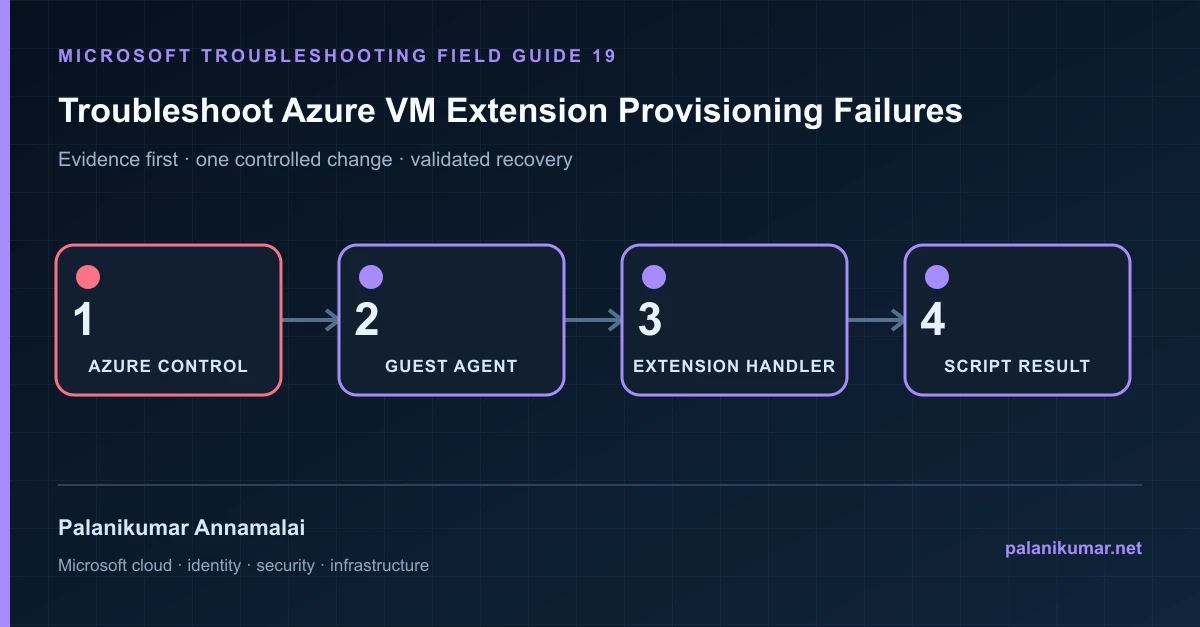
The portal reports one extension state, but the root cause lives in instance view, Guest Agent health, handler status and logs inside the VM.
The fastest safe repair is rarely the first setting that makes the error disappear. Start by identifying the failed layer, preserve the evidence, change one cause and repeat the same test.
Recognise the failure
- Deployment returns VMExtensionProvisioningError, timeout or handler non-transient error.
- The VM is reachable but remains Updating or provisioning failed.
- An extension works when run interactively but fails under Azure.
- Start or redeploy takes much longer because an old extension is failed.
Write down the affected identity or resource, UTC time, client, source network and correlation or request ID before retrying. Nearby successful events are useful comparisons, but they are not the failed transaction.
Collect evidence before changing configuration
The following commands are read-only unless a comment explicitly says otherwise. Replace every placeholder and use the least-privileged administrative role that can read the required data.
az vm get-instance-view --resource-group <resource-group> --name <vm-name> `
  --query "instanceView.extensions[].{name:name,statuses:statuses}" -o json

az vm extension list --resource-group <resource-group> --vm-name <vm-name> -o table

# Windows guest paths:
# C:\WindowsAzure\Logs\WaAppAgent.log
# C:\WindowsAzure\Logs\Plugins\<publisher>.<type>\
# C:\Packages\Plugins\<publisher>.<type>\| Evidence | What it proves |
|---|---|
| Instance-view status | Identify the exact extension, handler version, code and message. |
| Guest Agent Ready state | No extension can succeed while the VM Agent is unavailable. |
| Handler log | Separate download, enable, configuration and command execution. |
| Execution identity | Extensions normally run as Local System or root, with different PATH and profile. |
| Outbound access | Package, storage and control-plane endpoints might be blocked by NSG, firewall, proxy or DNS. |
Work through the likely causes
1. Guest Agent is not ready
Repair agent service, package/version, certificates or network before reinstalling the extension.
2. The handler cannot download or initialize
Validate DNS, proxy, TLS inspection, storage URI and disk space using the named endpoint and error.
3. The script fails only in extension context
Remove interactive prompts, relative paths, user-profile dependencies and unbounded execution. Return meaningful exit codes.
4. The extension state is stale after the cause is fixed
Use Reapply or a version/configuration update. Remove and reinstall only after preserving settings and logs.
Make the fix controlled and reversible
Before changing production, capture the current configuration, name the owner of the affected service and define the rollback trigger. Prefer the narrowest change that corrects the proven cause. Do not disable a tenant-wide security control, remove a protection policy or broaden a role simply to see whether the symptom changes.
Where a change affects identity, mail flow, security telemetry or network routing, use a test object or limited scope first. Record the exact command or portal setting, the operator, timestamp and the evidence that justified it.
Validate the repair
- Confirm VM Agent reports Ready.
- Confirm extension instance view reports Provisioning succeeded.
- Verify the intended configuration inside the guest.
- Repeat a normal VM update or restart and ensure the extension remains healthy.
A successful portal message is not the end of validation. Confirm the user or workload outcome, the relevant audit or health record and the absence of a weaker fallback path.
Evidence to keep
- the original error, correlation or request ID and UTC timestamp;
- the read-only command output that identified the failed layer;
- before-and-after configuration for the specific change;
- the successful validation transaction; and
- any limitation that still needs monitoring or vendor escalation.
References
Reader feedback
Was this article useful?
No ratings yet. Be the first to rate this article.