
Practical engineering guidance
Microsoft Sentinel connector is enabled but no logs arrive: follow the AMA data path
An enabled connector is only the control plane. Prove heartbeat, DCR association, source selection, agent configuration and table ingestion in that order.
Series: Microsoft troubleshooting field guides
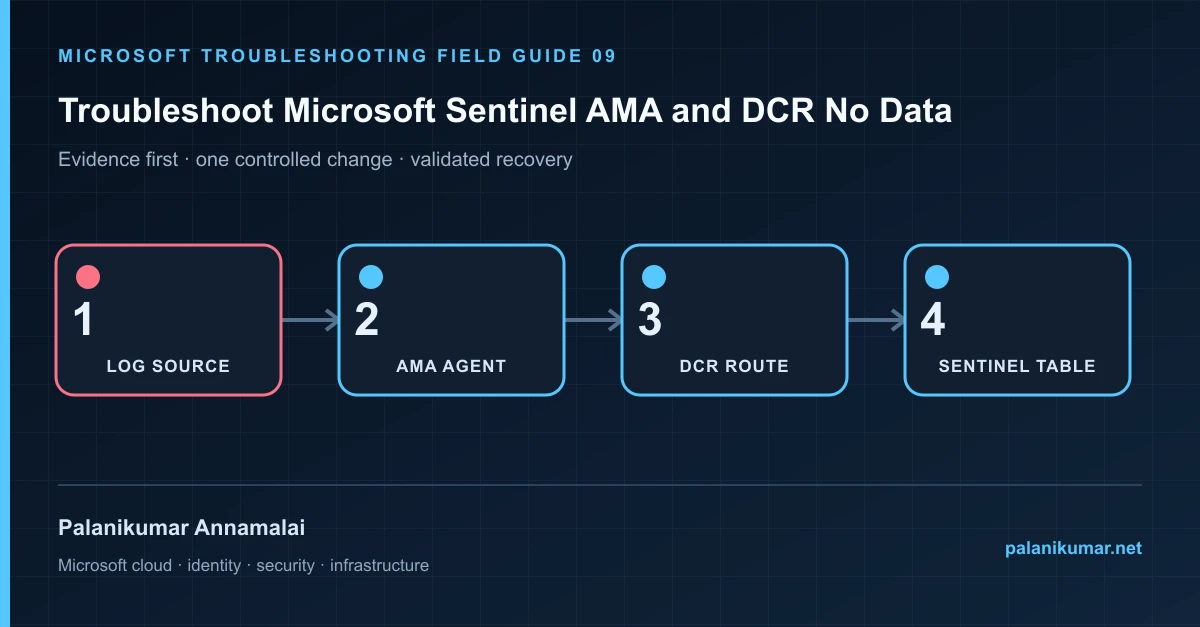
An enabled connector is only the control plane. Prove heartbeat, DCR association, source selection, agent configuration and table ingestion in that order.
The fastest safe repair is rarely the first setting that makes the error disappear. Start by identifying the failed layer, preserve the evidence, change one cause and repeat the same test.
Recognise the failure
- The connector page is green but its target table is empty.
- Heartbeat arrives while SecurityEvent, Syslog or a custom table does not.
- Only some machines send data after a DCR change.
- Collection stopped after disaster recovery, reimage or resource move.
Write down the affected identity or resource, UTC time, client, source network and correlation or request ID before retrying. Nearby successful events are useful comparisons, but they are not the failed transaction.
Collect evidence before changing configuration
The following commands are read-only unless a comment explicitly says otherwise. Replace every placeholder and use the least-privileged administrative role that can read the required data.
Heartbeat
| where TimeGenerated > ago(24h)
| summarize LastHeartbeat=max(TimeGenerated) by Computer, _ResourceId, Category
| extend AgeMinutes=datetime_diff('minute', now(), LastHeartbeat)
| order by AgeMinutes desc

// Replace the target table and expected computers.
SecurityEvent
| where TimeGenerated > ago(24h)
| summarize Events=count(), LastEvent=max(TimeGenerated) by Computer
| order by LastEvent asc| Evidence | What it proves |
|---|---|
| Heartbeat | No AMA heartbeat points to agent, identity, network or extension health. |
| DCR association | The rule must be associated with the current Azure or Arc resource ID. |
| DCR source | Verify facility, stream, XPath or performance counter selection. |
| Destination and transform | A transform can discard records or route them to a different table. |
| Workspace limits | Daily cap, throttling or subscription state can stop ingestion. |
Work through the likely causes
1. No heartbeat
Check extension provisioning, MonAgentCore, agent logs, managed identity and outbound connectivity before editing the DCR.
2. Heartbeat exists but target data does not
Validate source configuration and generate one known event. Confirm the DCR stream maps to the expected table.
3. Only rebuilt or recovered machines fail
Reassociate the DCR with the new resource ID and reinstall or repair AMA when the underlying identity changed.
4. Data is filtered before storage
Review transformation KQL and connector filters using sample input. Remove filters only in a test DCR, not directly in production.
Make the fix controlled and reversible
Before changing production, capture the current configuration, name the owner of the affected service and define the rollback trigger. Prefer the narrowest change that corrects the proven cause. Do not disable a tenant-wide security control, remove a protection policy or broaden a role simply to see whether the symptom changes.
Where a change affects identity, mail flow, security telemetry or network routing, use a test object or limited scope first. Record the exact command or portal setting, the operator, timestamp and the evidence that justified it.
Validate the repair
- Confirm a current AMA heartbeat.
- Generate a known source event and trace it into the expected table.
- Measure ingestion delay using TimeGenerated and ingestion_time().
- Create an alert for missing heartbeat and connector-table freshness.
A successful portal message is not the end of validation. Confirm the user or workload outcome, the relevant audit or health record and the absence of a weaker fallback path.
Evidence to keep
- the original error, correlation or request ID and UTC timestamp;
- the read-only command output that identified the failed layer;
- before-and-after configuration for the specific change;
- the successful validation transaction; and
- any limitation that still needs monitoring or vendor escalation.
References
Reader feedback
Was this article useful?
No ratings yet. Be the first to rate this article.