
Practical engineering guidance
Azure VPN BGP is connected but traffic still fails: inspect the routes, not the green status
A connected BGP peer proves only that the session formed. Traffic still depends on advertised prefixes, learned routes, propagation, UDRs, NAT and the return path.
Series: Microsoft troubleshooting field guides
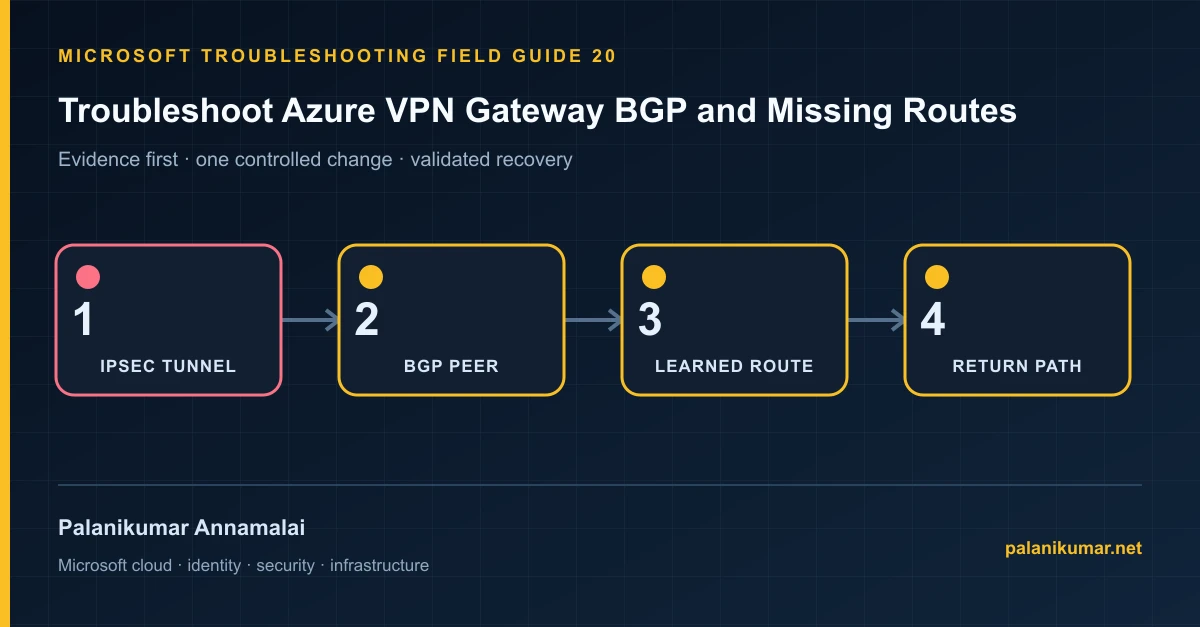
A connected BGP peer proves only that the session formed. Traffic still depends on advertised prefixes, learned routes, propagation, UDRs, NAT and the return path.
The fastest safe repair is rarely the first setting that makes the error disappear. Start by identifying the failed layer, preserve the evidence, change one cause and repeat the same test.
Recognise the failure
- The VPN tunnel and BGP peer are connected but subnets cannot communicate.
- Routes received or advertised show zero.
- Only one active-active instance exchanges routes.
- The BGP session flaps or drops when route count increases.
Write down the affected identity or resource, UTC time, client, source network and correlation or request ID before retrying. Nearby successful events are useful comparisons, but they are not the failed transaction.
Collect evidence before changing configuration
The following commands are read-only unless a comment explicitly says otherwise. Replace every placeholder and use the least-privileged administrative role that can read the required data.
Get-AzVirtualNetworkGatewayBgpPeerStatus `
  -ResourceGroupName '<resource-group>' `
  -VirtualNetworkGatewayName '<gateway>'

Get-AzVirtualNetworkGatewayLearnedRoute `
  -ResourceGroupName '<resource-group>' `
  -VirtualNetworkGatewayName '<gateway>'

Get-AzVirtualNetworkGatewayAdvertisedRoute `
  -ResourceGroupName '<resource-group>' `
  -VirtualNetworkGatewayName '<gateway>' `
-Peer '<peer-ip>'| Evidence | What it proves |
|---|---|
| IPsec state | Separate tunnel negotiation from BGP session establishment. |
| Peer IP and ASN | The router peers with the Azure BGP peer IP, not the public gateway IP. |
| Learned routes | Connected with zero EBgp routes means the peer is not advertising or Azure is filtering. |
| Effective routes | Confirm the workload subnet receives the BGP prefix and no more-specific UDR wins. |
| Return path | On-premises must learn or statically route the Azure prefix back through the same design. |
Work through the likely causes
1. ASN or peer IP is wrong
Align local and remote ASN values and use the private BGP peer IP. Permit TCP 179 only across the tunnel.
2. The peer advertises no prefixes
Correct network statements, route redistribution and outbound filters on the on-premises router.
3. Gateway route propagation is disabled
Enable propagation on relevant route tables; never disable it on GatewaySubnet.
4. The route exists but traffic follows another path
Compare prefix length, UDR, NAT and firewall state in both directions. A connected peer does not prove symmetric reachability.
Make the fix controlled and reversible
Before changing production, capture the current configuration, name the owner of the affected service and define the rollback trigger. Prefer the narrowest change that corrects the proven cause. Do not disable a tenant-wide security control, remove a protection policy or broaden a role simply to see whether the symptom changes.
Where a change affects identity, mail flow, security telemetry or network routing, use a test object or limited scope first. Record the exact command or portal setting, the operator, timestamp and the evidence that justified it.
Validate the repair
- Confirm both active-active peers are Connected where applicable.
- Verify expected prefixes in learned, advertised and effective route tables.
- Test TCP to a known endpoint in both directions.
- Enable RouteDiagnosticLog and alert on BGP disconnect events.
A successful portal message is not the end of validation. Confirm the user or workload outcome, the relevant audit or health record and the absence of a weaker fallback path.
Evidence to keep
- the original error, correlation or request ID and UTC timestamp;
- the read-only command output that identified the failed layer;
- before-and-after configuration for the specific change;
- the successful validation transaction; and
- any limitation that still needs monitoring or vendor escalation.
References
Reader feedback
Was this article useful?
No ratings yet. Be the first to rate this article.