
Practical engineering guidance
Mailbox move stalled: know when Exchange is throttling and when it is failing
A stalled move can be healthy workload protection, database pressure, replication lag or a permanent failure. The move report tells you which before you change throttling.
Series: Microsoft troubleshooting field guides
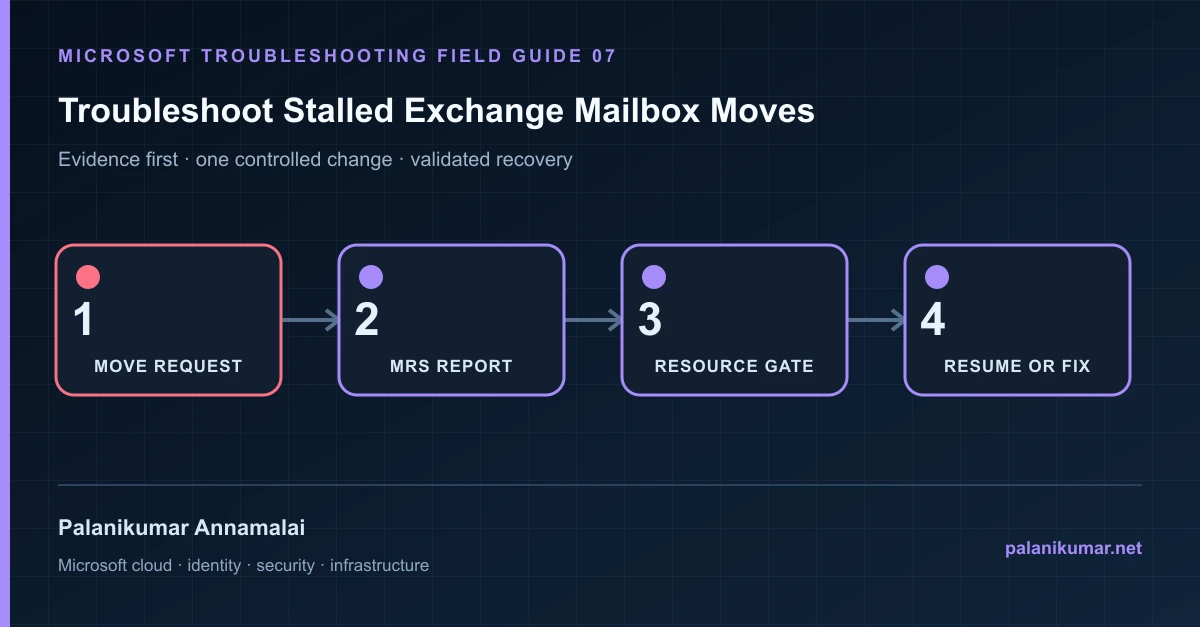
A stalled move can be healthy workload protection, database pressure, replication lag or a permanent failure. The move report tells you which before you change throttling.
The fastest safe repair is rarely the first setting that makes the error disappear. Start by identifying the failed layer, preserve the evidence, change one cause and repeat the same test.
Recognise the failure
- A migration remains StalledDueToTarget_* or StalledDueToSource_*.
- Progress stops at 95 or 99 percent.
- Only a fixed number of mailboxes copy while the rest wait.
- A remote move does not enter finalization.
Write down the affected identity or resource, UTC time, client, source network and correlation or request ID before retrying. Nearby successful events are useful comparisons, but they are not the failed transaction.
Collect evidence before changing configuration
The following commands are read-only unless a comment explicitly says otherwise. Replace every placeholder and use the least-privileged administrative role that can read the required data.
Get-MoveRequest -Identity 'user@contoso.com' |
  Get-MoveRequestStatistics -IncludeReport |
  Format-List Status,StatusDetail,PercentComplete,BytesTransferred,
    ItemsTransferred,BadItemsEncountered,LargeItemsEncountered,
    TotalInProgressDuration,TotalStalledDueTo*Duration,Message,FailureType

Get-MailboxDatabaseCopyStatus * |
Format-Table Name,Status,CopyQueueLength,ReplayQueueLength,ContentIndexState -Auto| Evidence | What it proves |
|---|---|
| StatusDetail | The exact stalled reason separates workload waiting from a real failure. |
| Move report | Read the most recent failure and duration entries, not only PercentComplete. |
| Database health | Replication, disk latency and content index state can intentionally gate finalization. |
| Concurrency | A stable number of active moves suggests workload management rather than a broken batch. |
| Data consistency | Finalization can wait for database copies to satisfy the configured guarantee. |
Work through the likely causes
1. Workload management is protecting Exchange
Allow active moves to complete and monitor throughput. Raise concurrency only in a measured change with server performance evidence.
2. Target database health is below policy
Repair replication, latency or copy availability. Moving the mailbox to a healthy target is safer than weakening the guarantee.
3. The request needs a controlled resume
After fixing the cause, use Resume-MoveRequest or restart the migration batch and watch the report for new progress.
4. A permanent item or recipient conflict exists
Resolve the named object, soft-deleted mailbox, corrupted item or address conflict. Do not use unlimited bad-item acceptance to hide data loss.
Make the fix controlled and reversible
Before changing production, capture the current configuration, name the owner of the affected service and define the rollback trigger. Prefer the narrowest change that corrects the proven cause. Do not disable a tenant-wide security control, remove a protection policy or broaden a role simply to see whether the symptom changes.
Where a change affects identity, mail flow, security telemetry or network routing, use a test object or limited scope first. Record the exact command or portal setting, the operator, timestamp and the evidence that justified it.
Validate the repair
- Confirm BytesTransferred and ItemsTransferred continue to change.
- Verify the move reaches Completed and the correct database or tenant.
- Test mailbox access, mail flow, archive and permissions.
- Remove temporary setting overrides after the migration window.
A successful portal message is not the end of validation. Confirm the user or workload outcome, the relevant audit or health record and the absence of a weaker fallback path.
Evidence to keep
- the original error, correlation or request ID and UTC timestamp;
- the read-only command output that identified the failed layer;
- before-and-after configuration for the specific change;
- the successful validation transaction; and
- any limitation that still needs monitoring or vendor escalation.
References
Reader feedback
Was this article useful?
No ratings yet. Be the first to rate this article.