
Practical engineering guidance
Kerberos fails because of time skew: repair the Windows domain time hierarchy
Changing the clock fixes one machine temporarily. The durable fix is to restore the domain hierarchy from members to domain controllers and the forest-root PDC emulator.
Series: Microsoft troubleshooting field guides
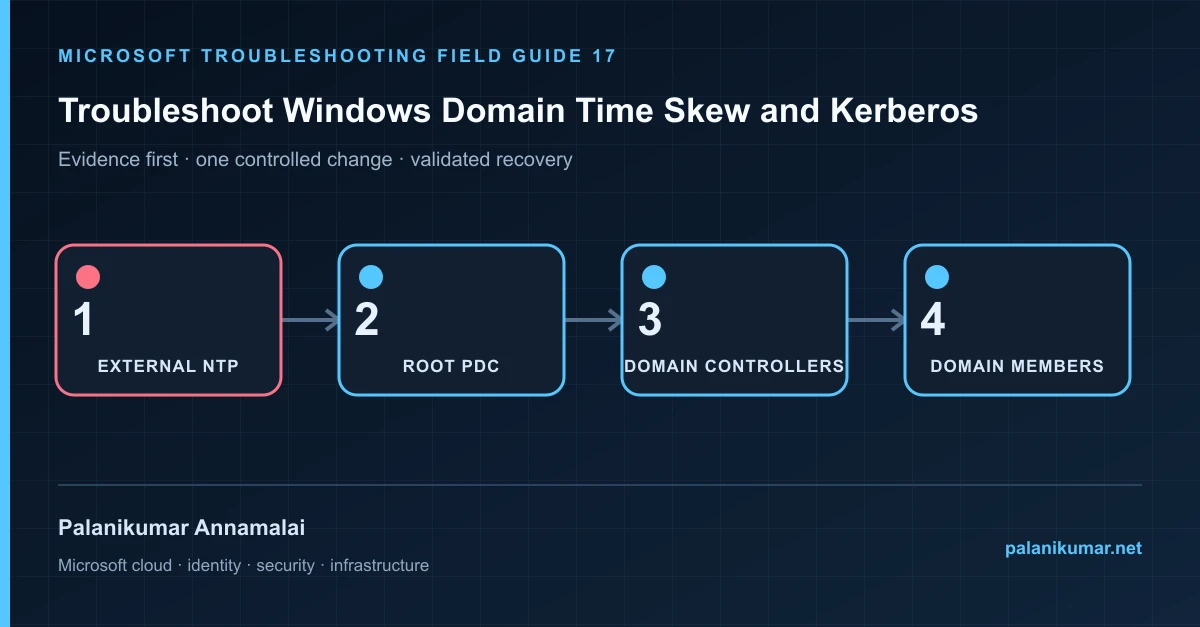
Changing the clock fixes one machine temporarily. The durable fix is to restore the domain hierarchy from members to domain controllers and the forest-root PDC emulator.
The fastest safe repair is rarely the first setting that makes the error disappear. Start by identifying the failed layer, preserve the evidence, change one cause and repeat the same test.
Recognise the failure
- Kerberos reports KRB_AP_ERR_SKEW or Event ID 4.
- A server uses Local CMOS Clock or an unexpected internet source.
- Time drifts again after a manual correction.
- Virtual domain controllers jump after host or snapshot operations.
Write down the affected identity or resource, UTC time, client, source network and correlation or request ID before retrying. Nearby successful events are useful comparisons, but they are not the failed transaction.
Collect evidence before changing configuration
The following commands are read-only unless a comment explicitly says otherwise. Replace every placeholder and use the least-privileged administrative role that can read the required data.
w32tm /query /source
w32tm /query /status
w32tm /query /configuration
w32tm /monitor /domain:contoso.com

Get-ADDomain | Select-Object PDCEmulator
Get-WinEvent -LogName System -MaxEvents 200 |
  Where-Object ProviderName -eq 'Microsoft-Windows-Time-Service' |
Select-Object TimeCreated, Id, LevelDisplayName, Message| Evidence | What it proves |
|---|---|
| Current source | A domain member should normally follow the domain hierarchy. |
| PDC emulator | The forest-root PDC is the top of the authenticated domain time chain. |
| Offset and stratum | Measure the direction and scale of drift across DCs. |
| W32Time configuration source | Local settings can be overwritten by Group Policy. |
| Network path | NTP uses UDP 123; name resolution and asymmetric filtering matter. |
Work through the likely causes
1. The root PDC has no reliable external source
Configure approved external NTP peers on the forest-root PDC and mark it reliable according to Microsoft guidance.
2. A member or DC was manually pointed elsewhere
Return domain-joined systems to NT5DS hierarchy unless the design explicitly requires otherwise.
3. Group Policy applies the wrong role configuration
Scope the external NTP policy only to the current PDC role holder, not every domain controller.
4. Virtualization time conflicts with domain time
Follow the hypervisor and Microsoft guidance for virtual DC time, especially during restore and host clock changes.
Make the fix controlled and reversible
Before changing production, capture the current configuration, name the owner of the affected service and define the rollback trigger. Prefer the narrowest change that corrects the proven cause. Do not disable a tenant-wide security control, remove a protection policy or broaden a role simply to see whether the symptom changes.
Where a change affects identity, mail flow, security telemetry or network routing, use a test object or limited scope first. Record the exact command or portal setting, the operator, timestamp and the evidence that justified it.
Validate the repair
- Rediscover sources and resynchronize after correcting configuration.
- Use w32tm /monitor to confirm offsets converge.
- Verify Kerberos authentication and ticket acquisition.
- Alert on PDC source changes, large offsets and W32Time failures.
A successful portal message is not the end of validation. Confirm the user or workload outcome, the relevant audit or health record and the absence of a weaker fallback path.
Evidence to keep
- the original error, correlation or request ID and UTC timestamp;
- the read-only command output that identified the failed layer;
- before-and-after configuration for the specific change;
- the successful validation transaction; and
- any limitation that still needs monitoring or vendor escalation.
References
Reader feedback
Was this article useful?
No ratings yet. Be the first to rate this article.